

DraStic DS Emulator APK r2.6.0.4a

Advertisement
DraStic DS Emulator APK is a fast and powerful Nintendo DS emulator for Android that delivers smooth gameplay, high FPS, HD rendering, save states, cheat support, and full offline play. Compatible with thousands of .nds games, it offers complete screen customization, controller support, and cloud sync to enhance your DS gaming experience on mobile.
Information of DraStic DS Emulator
- Optimization
- No ads
About DraStic DS Emulator
DraStic DS Emulator APK – Fast Nintendo DS for Android
There are certain game eras that never truly fade, and the Nintendo DS era is one of them. It gave us emotional stories, unforgettable gameplay, and iconic adventures through titles like Pokémon HeartGold, The Legend of Zelda: Phantom Hourglass, Mario Kart DS, Dragon Quest IX, Yu-Gi-Oh! 5D’s, Final Fantasy Tactics A2, New Super Mario Bros., and hundreds of others. But as time goes on, DS consoles become harder to find, and most players no longer carry handhelds. Yet the desire to replay these classics never died.
That’s why DraStic DS Emulator APK became so popular among Android users. It doesn’t just bring back DS gaming—it makes it better. Built for speed, control, and customization, this emulator allows you to play DS games at high FPS, with HD resolution, smooth controls, and offline support, directly on your Android phone.
Whether you're a nostalgic gamer or a new fan discovering DS classics, DraStic DS Emulator APK is the fastest and most stable way to enjoy Nintendo DS games again—anytime and anywhere.
About DraStic DS Emulator APK
Before downloading any emulator, it’s important to understand what it is and how it works. DraStic DS Emulator APK is a Nintendo DS emulator for Android that uses ROM files (.nds format) to load and run DS games. It was built by Exophase, a developer known for optimizing handheld emulation on mobile devices.
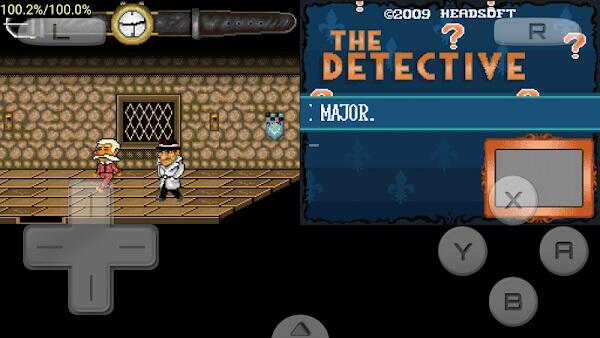
This section gives you a clear understanding of what DraStic is, who it is for, and why thousands of gamers choose it as their primary emulator for Nintendo DS games on Android.
Unlike many emulators that require complex BIOS setup or advanced configuration, DraStic is simple and ready to use right away:
-
No BIOS required
-
Runs offline
-
Works on low-end to high-end Android devices
-
Ultra-fast loading speed
-
Clean user interface
-
Designed for real gameplay, not just testing
It supports legitimate DS ROM backups, meaning if you own DS cartridges, you can easily convert them and play them on Android without carrying hardware anymore.
DraStic is also lightweight, with a file size around 15MB, yet it can emulate thousands of DS titles smoothly—making it one of the most powerful emulators ever built for mobile systems.
Key Features of DraStic DS Emulator APK
DraStic is not just “another emulator.” It was built to perform and give users control over their game experience. Below are its best features.
These are the core features that make DraStic a superior choice compared to other DS emulators available on Android.
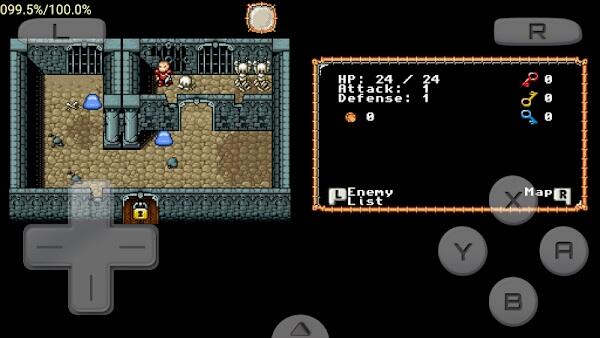
High-Speed Performance
The emulator uses an optimized dynamic recompilation engine, allowing DS games to run faster and smoother than on any other Android DS emulator. Even demanding games with 3D environments load quickly with minimal stutter.
Advertisement
Advertisement
HD Graphics Rendering
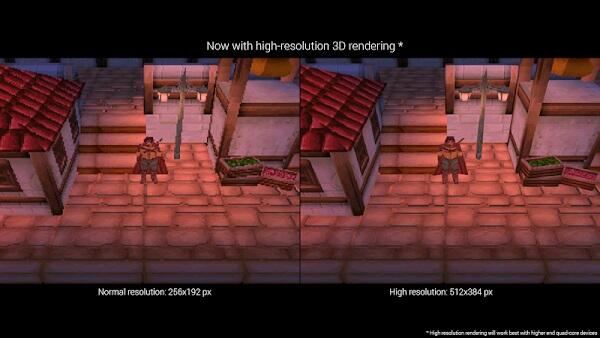
DraStic allows you to upscale DS graphics up to 2× or 3×. This improves sharpness and removes blur, making classic games look much better on modern displays.
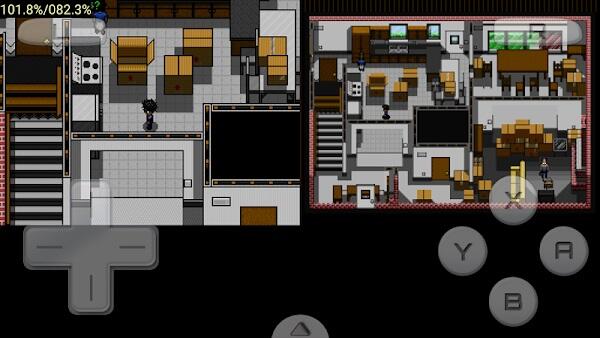
Dual Screen Customization
Because the DS used two screens, DraStic gives users full control over their layout:
-
Side-by-side mode
-
Stacked mode
-
Single-screen focus
-
Touchscreen-only gameplay
-
Adjustable screen size and position
This flexibility helps both casual and pro players enjoy better usability.
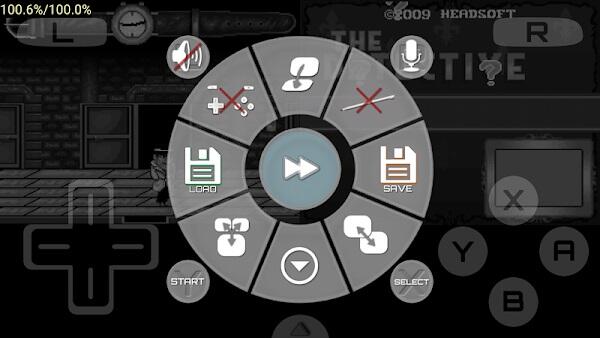
Save States Anytime
No need to wait for save points. DraStic lets you save and resume games instantly from any point, giving you total progress control.
Fast Forward Feature
Speed up gameplay during grinding, farming, or long cutscenes. Perfect for RPG and strategy games that take time.
Cheat Code Support
Enjoy Action Replay, GameShark, and CodeBreaker cheats. Unlock rare Pokémon, max money, or enable fun gameplay experiments.
Controller Support
Don’t like touchscreen? Connect a Bluetooth controller like Xbox, PlayStation, 8BitDo, Razer Kishi, or GameSir and play like it’s a handheld console.
Cloud Save Sync
Protect your game progress by syncing to Google Drive. Restore game states anytime—even after installing on a new device.
Offline Gaming
Once installed, DraStic works completely offline. No sign-in. No ads. No connection needed. Your games are always accessible.
Battery & Performance Optimization
Choose between quality and performance modes depending on your device. Save power with frame skip or unlock full power on gaming devices.
Why DraStic Is the Best DS Emulator for Android
Speed. Stability. Better gameplay. That’s why DraStic dominates emulator rankings.
Compared to other DS emulators, DraStic delivers a better balance between performance, usability, and control.
| Feature | DraStic | nds4droid | MelonDS (Android) | RetroArch DS Core |
|---|---|---|---|---|
| Speed | Very Fast | Slow | Medium | Medium |
| HD Rendering | Yes | No | Limited | No |
| Controller Support | Full | Basic | Limited | Yes |
| Cheat Support | Built-in | No | Limited | Yes |
| Save States | Yes | Yes | Yes | Yes |
| Cloud Sync | Yes | No | No | No |
| Ease of Use | Simple | Average | Hard | Complex |
| Stability | Excellent | Poor | Mixed | Mixed |
DraStic simply outperforms every competitor for DS emulation on Android.
Download Information
Make sure your device meets these basic requirements.
| Property | Details |
|---|---|
| App Name | DraStic DS Emulator APK |
| File Size | ~15MB |
| Version | Latest official build |
| Platform | Android |
| Supported OS | Android 5.0 and up |
| Chipset | Snapdragon/Exynos/Mediatek compatible |
| License | Premium build |
| Mode | 100% Offline |
| Safety | Verified and secure |
No malware
No forced ads
Works without BIOS
Requires user-provided ROM files (.nds)
How to Install DraStic DS Emulator APK on Android
Installing DraStic only takes about 60 seconds.
Follow this step-by-step guide to install DraStic correctly and avoid common installation errors.
Installation Steps
-
Download the APK file.
-
Go to Settings → Security → Install Unknown Apps.
-
Allow permission for your browser to install APK files.
Advertisement
-
Tap the APK file and select Install.
-
Open the app after installation.
-
Grant Storage Access permission.
-
Load a Nintendo DS game (.nds file).
-
Enjoy full-speed DS emulation immediately.
How to Use DraStic – Setup for First-Time Users
You don’t need to be a tech expert to use DraStic. Everything is simple and user-friendly.
This section guides you through the first setup inside DraStic so you can start playing instantly.
-
Choose Load New Game
-
Select your ROM folder
-
Pick your DS game
-
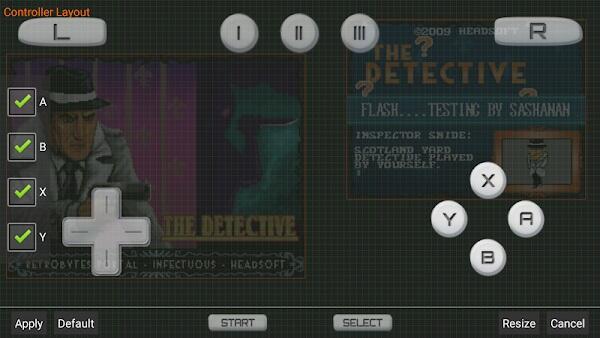
Adjust screen layout to your preference
-
Configure button size and transparency
-
Enable Fast Save and Quick Load
-
Connect controller (optional)
-
Enable Google Drive Sync for backup
You now have a portable DS console inside your Android phone.
Best Settings for Maximum Speed (No Lag Guide)
This is the most important part for many users—optimizing performance. These settings remove lag, boost FPS, and improve visual clarity.
Follow these performance settings to get the smoothest DS emulation experience, even on low-end Android devices.
Recommended Video Settings
| Setting | Best Option |
|---|---|
| Frameskip | Auto |
| Filter | None |
| Resolution | Original or 2× |
| Aspect Ratio | Original |
| Stretch to Full Screen | Optional |
| Screen Orientation | Landscape |
Enable Multi-threaded 3D Rendering
-
Go to Menu → Options → Advanced
-
Enable Multi-threaded 3D Rendering
Great for 3D games
Disable if graphical glitches appear
CPU and Audio Sync Optimization
| Setting | Best Value |
|---|---|
| CPU Emulation | High |
| Audio Sync | Enabled |
| Sound Quality | Medium |
| Thread Priority | High |
Best Settings for Low-End Devices
-
Resolution: Original
-
Frameskip: 3
-
Filter: None
-
Sound: Off if needed
-
Multithreading: Off
Perfect for budget Android devices
Best Settings for Mid/High-End Devices
-
Resolution: 2× or 3× upscale
-
Frameskip: Auto
-
Audio Sync: On
-
Multithreading: On
Ideal for performance gaming phones
Fix Common Issues
Even though DraStic is stable, here are easy fixes to common problems.
If you face any basic error while loading or running games, try these quick fixes.
| Issue | Solution |
|---|---|
| ROM not found | Extract ZIP, keep .nds file |
| Black screen in Pokémon | Disable 3D multithreading |
| Game lag after 10 min | Enable frameskip |
| Audio delay | Turn on audio sync |
| Touch not responding | Reconfigure layout |
| Controller issues | Remap keys manually |
Safe Download Notice
DraStic is safe, but fake modified builds exist.
Use only clean APK builds to avoid malware, fake verifications, and corrupted files.
Check signature
Check file size (~15MB)
No ads after install
Works offline
Legal Reminder:
Only play backup ROMs of games you legally own.
Final Verdict
DraStic DS Emulator APK is the best solution for anyone who loves Nintendo DS games and wants a powerful, flexible, and smooth gaming experience on Android. It delivers what no other emulator does: real speed, clean control, customizable layout, cheat freedom, HD rendering, offline access, and stable performance.
If you want the fastest DS emulator for Android, this is it. It doesn’t pretend. It performs.
Download DraStic DS Emulator APK today and relive the DS era—your way.
FAQs DraStic DS Emulator
DraStic DS Emulator APK is used to play Nintendo DS games on Android devices. It supports .nds ROM files and offers high-speed emulation, HD graphics, save states, and game controller support.
Yes, DraStic DS Emulator APK is safe as long as you download it from a verified source. It does not contain malware, runs offline, and does not require suspicious permissions.
No, DraStic does not require BIOS files to run. Simply install the APK, load your Nintendo DS ROMs, and start playing without complicated setup.
Absolutely. DraStic is compatible with most Nintendo DS games, including Pokémon Black & White, HeartGold, Platinum, Mario Kart DS, New Super Mario Bros, and many more.
Yes, DraStic includes built-in cheat support for Action Replay codes and a fast-forward option to speed up slow gameplay, making it ideal for RPGs and leveling.






Share Your Thoughts